A SaaS landing page has one goal: convert visitors into potential customers.
Your landing pages need to do more than look good — they need to explain what you do, who it's for, and what to do next. Strong SaaS landing pages pair clear headlines, focused visuals, and a single primary CTA so visitors can decide fast.
Each section should support your main promise — from the hero message to the proof points you choose. If you're not getting the conversion rate you want, small changes to copy, layout, and CTA placement can make a measurable difference.
Key elements of SaaS landing pages
Below are the must-have pieces every high-converting SaaS landing page shares. Think of each element as a building block.
Unique value prop
Explain in a single sentence what makes your product different and why it matters. This headline-level copy should answer, “Why choose us?” before visitors scroll.
Hero section
Your hero sits above the fold and pairs a clear headline with supporting subtext, a product image or GIF, and a primary CTA. It should communicate value in less than five seconds.
Features and benefits
Use concise copy and visuals to show how your core features translate into real-world wins. Tie every feature back to an outcome your buyer cares about.
Social proof
Logos, reviews, case-study snippets, and usage stats reassure visitors that people like them already trust you. Place proof close to the claims it supports.
Primary call to action
Give visitors one obvious next step (start a trial, book a demo, etc). Reuse the same CTA wording throughout the page so there’s never doubt about what happens next.
Demo video or motion
Short screen recordings or looping animations quickly show the interface in action. Motion turns abstract copy into something tangible and lowers the perceived learning curve.
Signup forms
Keep forms short — usually name and email are enough — to reduce friction. Inline validation and autofill help visitors complete the form without thinking.
Mobile layout and speed
More than half of SaaS traffic comes from phones. Use responsive sections, compressed media, and lazy-loading so the page feels lightning fast on every device.
How to tailor your landing page to your audience
SaaS products serve specific jobs — and your landing page copy should match the job your best-fit buyers are trying to do. When you lead with their pain points, it's easier to show why your product fits. These needs should be your focus when creating SaaS landing pages — the more you understand your target audience’s pain points, the better you can explain how the software solves them.
Thankfully, you likely already have a set of developed user personas to rely on. Before building a SaaS platform, developers research potential customers and tailor the product to these ideal users. Review these demographics to learn about your target audience’s expectations, then use your landing page to highlight the selling points that will interest them most.
6 great examples of SaaS landing pages
Use the following six Made in Webflow landing page examples to inspire your own designs. As you review these SaaS landing pages, look for repeatable patterns: how the hero explains the product, where trust shows up, and how the CTA stays consistent as you scroll.
1. Typogram
Source: Typogram
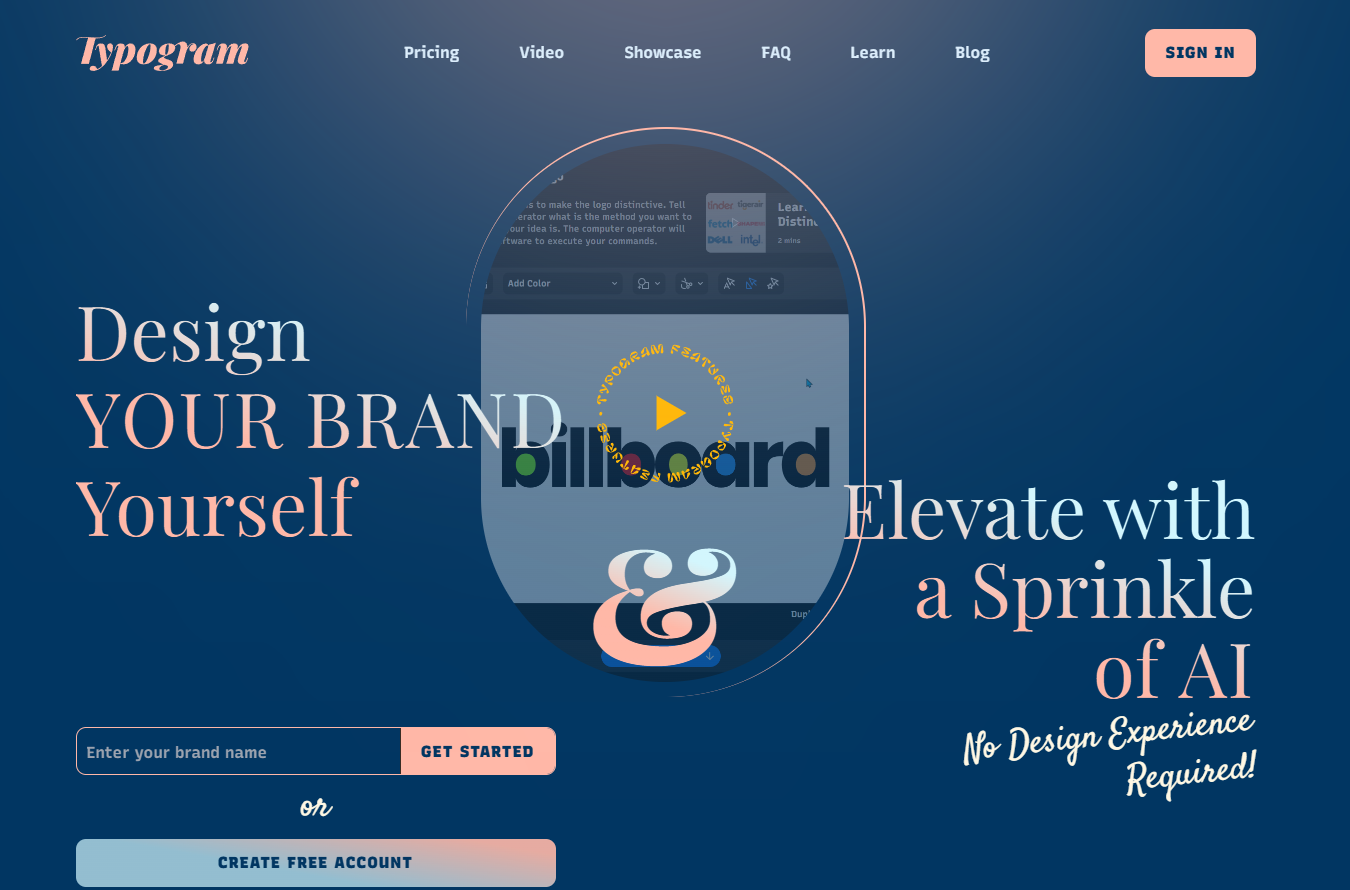
Typogram gives customers the tools to design their own logos and enhance them with artificial intelligence (AI). The landing page opens with a demo video of someone creating a logo, showing viewers how to use features like kerning and coloring. This video demonstrates the whole process in three minutes, suggesting that the platform is simple to use.
Throughout the rest of the page, targeted CTAs lead to relevant next steps. For example, one section describes which features customers can access during a free trial, and a button beneath reads, “Create Free Account.” Other text boxes invite visitors to sign up for the brand’s newsletter. As a result, viewers can enter the marketing funnel in several ways, which could lead to higher conversion rates.
- What to borrow:
- Hero pattern: Logo-demo video
- Trust cue: Free-trial feature list
- CTA idea: “Create Free Account”
2. Clay

Source: Clay
Clay is a research and lead management tool. It uses AI to help marketing teams make better decisions about ads, lead generation strategies, and conversion rate goals.
On the left-hand side of Clay’s landing page, tangled wires lead to a flowchart of the company’s offering. The last step connects to a set of organized wires on the right. This clear visual represents marketing teams’ processes before and after using Clay — it suggests that the platform will detangle confusing tasks and data.
The site backs up this claim by showing off big-name clients like HubSpot and Dropbox. Including top brands as social proof signals that Clay is a reliable platform.
To lead readers into the conversion funnel, this page uses CTAs like “Try AI messaging” and “Explore enrichments for free.” By placing CTAs where they’re most relevant and matching these phrases to related features, Clay invites site visitors to learn more about the software at every step.
- What to borrow:
- Hero pattern: Before-after wire graphic
- Trust cue: Enterprise logo lineup
- CTA idea: “Try AI messaging”
.jpeg)
9 B2B website optimization ideas that work
In this ebook, learn strategies to increase B2B website conversions
3. Audienceful
Source: Audienceful
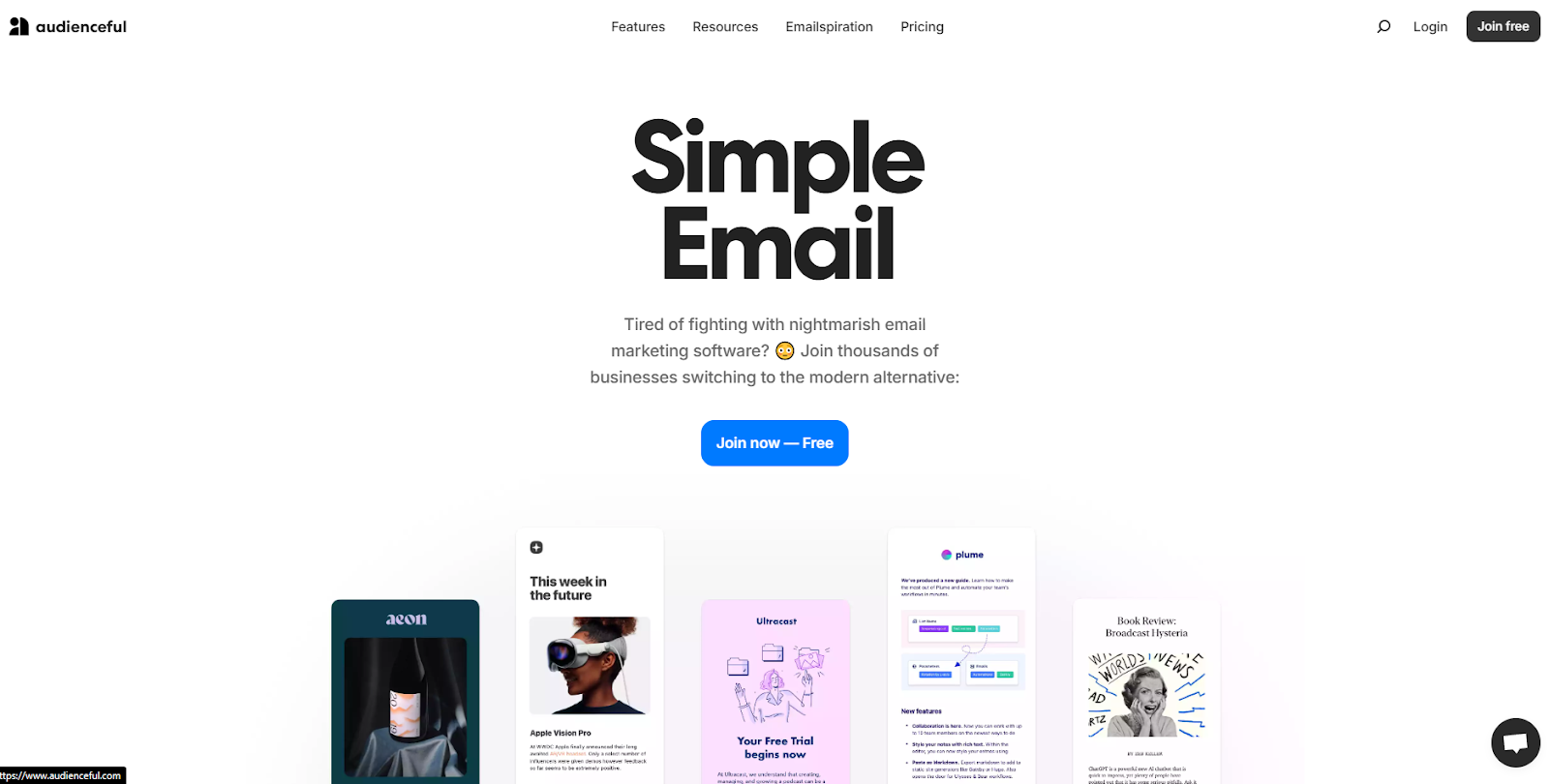
Audienceful helps marketers design personalized email marketing campaigns. They aim to help users increase conversion rates and build better brand awareness. The platform’s landing page aligns with those goals by showing off real email examples made with their software so visitors can see what the tool is capable of.
This page’s use of emojis and casual language shows that you don’t need complex copywriting skills to create a compelling, high-converting homepage. Instead, Audienceful relies on persuasive, concise headlines like “Easy as writing a doc” and “Branded, modern emails in 1 click” to showcase their value.
Pairing these titles with candid testimonials that offer relatable social proof gives the brand a more authentic feel. All these elements work together to make Audienceful’s product seem both useful and approachable.
- What to borrow:
- Hero pattern: Simple headline
- Trust cue: Candid testimonials
- CTA idea: “Sign up free”
4. Way
Source: Way
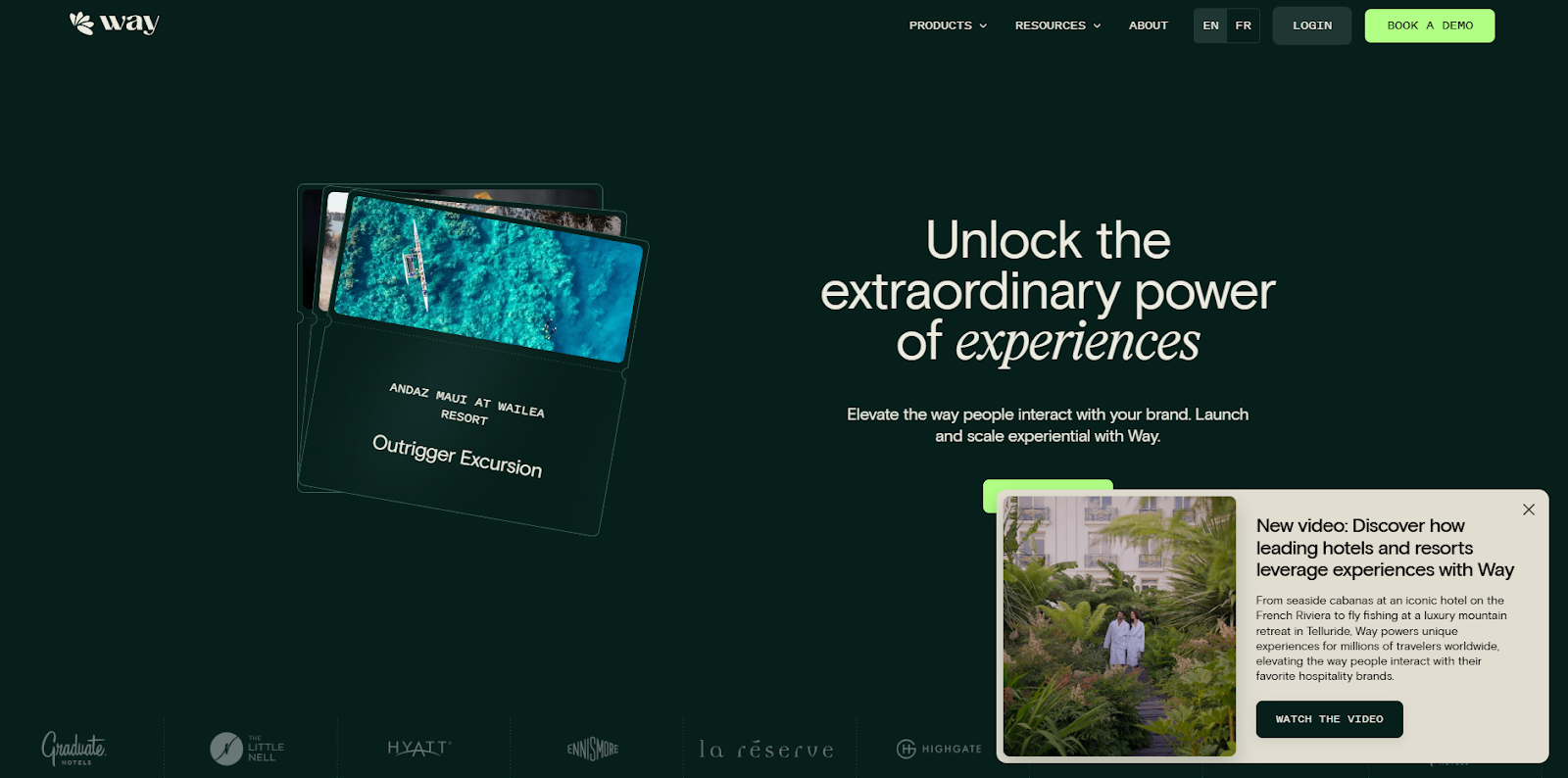
Way works with hospitality platforms, restaurants, and retailers to help them connect with potential customers. From reading their landing page, you can tell they have a detailed understanding of their customers’ concerns. Way speaks directly to specific use cases and shows how their features precisely meet those needs.
For instance, the company recognizes that their target industries want to save time on branding. So, the site positions the platform as an all-in-one solution with headlines like “Manage experiential from a single hub.”
This landing page example highlights the importance of user research. By speaking directly to your target audience’s pain points, you can better convince them to consider your service.
- What to borrow:
- Hero pattern: Experience-power headline
- Trust cue: Use-case specificity
- CTA idea: “Book a demo”
5. Storylane
Source: Storylane
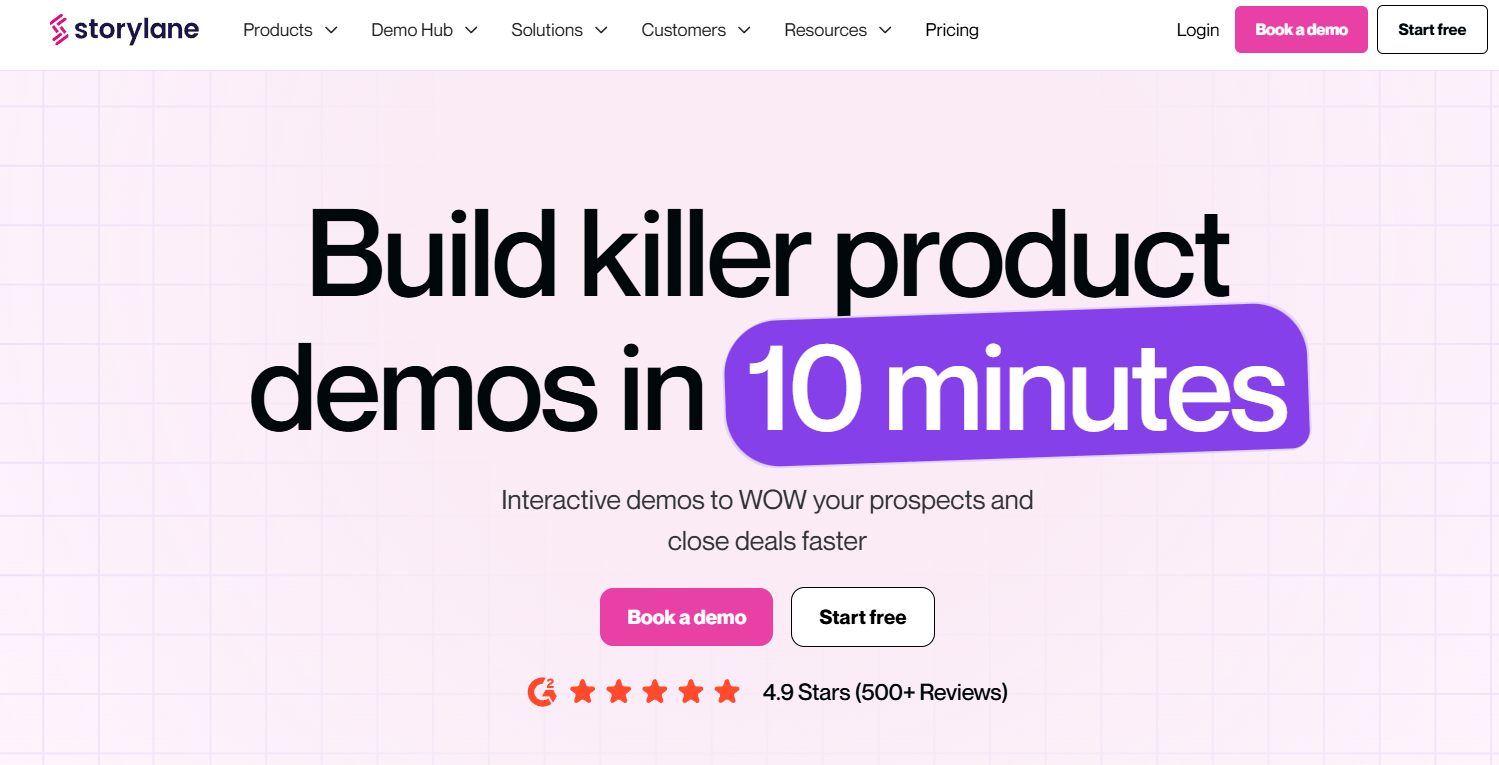
Storylane builds interactive demos for other products and services. The landing page begins with a large headline that immediately announces Storylane’s value proposition: generating great demos in a fraction of the time it usually takes.
After that, the site offers an interactive demo so visitors can explore the platform firsthand. This shows Storylane’s confidence in their product since they allow potential customers to try it without signing up. To instill even more trust, the page includes a header that reads, “Loved by 3,000+ marketing teams at,” and then lists the brand’s major existing clients.
- What to borrow:
- Hero pattern: 10-minute demo promise
- Trust cue: 3,000+ teams banner
- CTA idea: Live interactive demo
6. Summit
Source: Summit
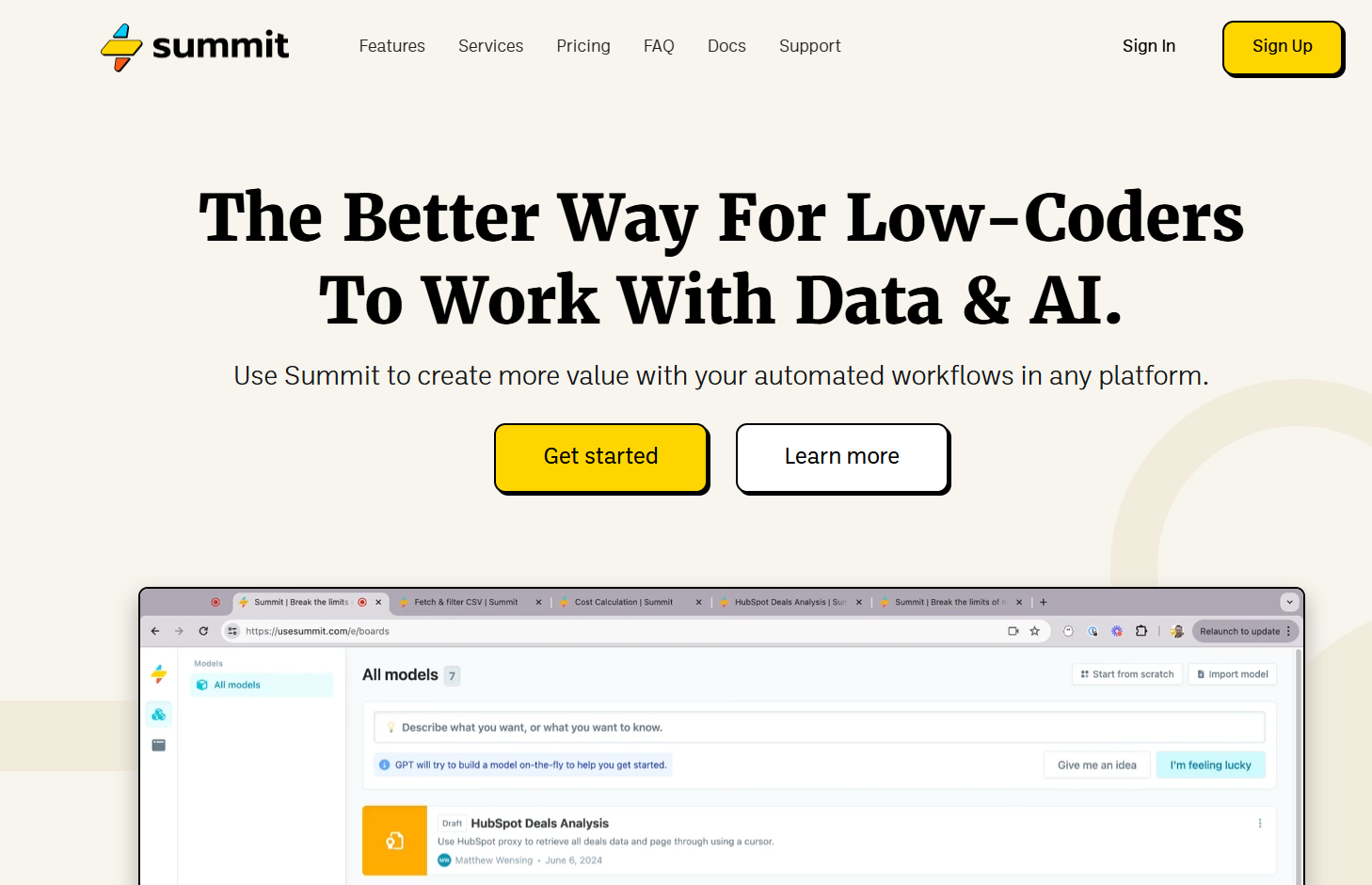
Summit is a workflow automation tool that requires minimal coding. Its primary appeal is that it’s lightweight and versatile, which the landing page design neatly reflects. There’s plenty of white space, and the concise headlines make scrolling through it inviting. This alignment between the product and the landing page gives Summit a cohesive brand image that convinces readers that they know what they’re doing.
This page shows the importance of matching your site to the service you’re describing. In this way, your landing page design serves as a demo of the product experience visitors can expect.
- What to borrow:
- Hero pattern: Lightweight screenshot
- Trust cue: Product-in-action image
- CTA idea: “Start building free”
How to improve conversion rates
Shipping the page is just the start. Real gains come from watching the numbers and running continual experiments.
Pick one variable at a time, run a test for long enough to gather a meaningful sample, then keep the winner and move on to the next hypothesis.
- Headline A/B: Test two value-prop framings.
- Demo vs. trial CTA: See whether prospects prefer a guided demo or self-serve trial.
- Social-proof placement: Move logos higher or testimonials closer to the CTA.
- Short vs. long page: Compare a concise hero-focused page against a deep-dive version.
Build high-converting SaaS landing pages with Webflow
Achieving a high conversion rate is about more than having the best service. Even if you have the most features, lowest prices, and highest review scores, you still need a landing page that makes all those facts plain to your target audience. They’ll only enter your conversion funnel when they’re convinced that your service is the best.
To accomplish this goal, try Webflow. With our platform, you can quickly create engaging designs that carefully weave visuals, headlines, and CTAs together. Whether you want to build a site from scratch or start from a template, Webflow supports your design goals.
Get started with Webflow to launch your next SaaS landing page project.

Build with Webflow
Webflow Enterprise gives your teams the power to build, ship, and manage sites collaboratively at scale.