











Building email bodies in code works until someone asks you to change a sentence. Templates move the words out of your deploy.
Most guides to sending mail from a Webflow Cloud app build the email body in the Route Handler. That is the right place to start, and it stops being the right place the moment somebody asks you to change a sentence in the confirmation email.
The copy lives in a deploy. Marketing cannot touch it; a comma fix is a pull request, and the second form you add means a second body string sitting next to the first one.
Postmark templates move that content out of your code. The Route Handler stops carrying words and starts carrying data, which is a smaller and much more stable job.
This guide wires Webflow form submissions to Postmark templates, and spends most of its time on the part that actually breaks: the contract between your form fields and the template's placeholders.
What do you need to send Postmark templates from Webflow forms?
You need a Postmark server with a verified sender, a Webflow Cloud app to receive submissions, and a Webflow form whose field names you control. The field names matter more than anything else here.
Get these in place first:
- A verified sending domain in Postmark, which is the route to prefer here: a per-address Sender Signature needs someone to click a confirmation link in that mailbox, and a
notifications@address usually has nobody reading it - Your Postmark server token, found on the API Tokens tab of the server you are sending from, which is a server-level credential rather than an account one
- A Webflow Cloud app running Next.js, where the Route Handler and the token both live server-side
- A Webflow form with deliberate field names, because those names are what you will map to template placeholders
Here is the shape of the change, and why it is worth making:
| What changes | Body built in code | Body built as a Postmark template |
|---|---|---|
| Editing the copy | A code change and a redeploy | An edit in Postmark, live immediately |
| Who can change it | Whoever can deploy the app | Anyone with Postmark access |
| Adding a second form | Another body string in the handler | Another template, same handler |
| What the handler sends | Subject, HtmlBody and TextBody | A template reference and a data model |
| Shared header and footer | Duplicated in every body string | One layout, referenced by each template |
| What changes → Body built in code → Body built as a Postmark template |
|---|
| Editing the copy |
| A code change and a redeploy |
| An edit in Postmark, live immediately |
| Who can change it |
| Whoever can deploy the app |
| Anyone with Postmark access |
| Adding a second form |
| Another body string in the handler |
| Another template, same handler |
| What the handler sends |
| Subject, HtmlBody and TextBody |
| A template reference and a data model |
| Shared header and footer |
| Duplicated in every body string |
| One layout, referenced by each template |
The row that earns the migration is the second one. Everything else is convenience; moving the copy to somewhere a non-developer can edit it is what stops you from being the bottleneck on wording.
Note the ceiling before you plan around templates: a Postmark server supports up to 100 templates, and requests that exceed the limit aren't processed. That is generous for form notifications and worth knowing if you intend a template per customer. With those in place, the build hinges on naming things consistently across two systems.
5 steps to send Postmark templates from a Webflow form
The build is a layout, a template, a token, one Route Handler that sends data rather than words, and a mapping that lets several forms share it.
The order matters because the template defines the placeholders, and the placeholders define what your handler has to collect.
1. Build the layout first, then the template
In Postmark, create a Layout before the template. A layout holds the parts every message shares: the header, the footer, the legal line, and templates reference it rather than repeating it.
Postmark distinguishes the two explicitly: a template's TemplateType is either Standard or Layout, and a standard template that uses one reports the layout's alias in its LayoutTemplate field.
Getting this right at the start is the difference between changing your footer once and changing it in every template you ever create.
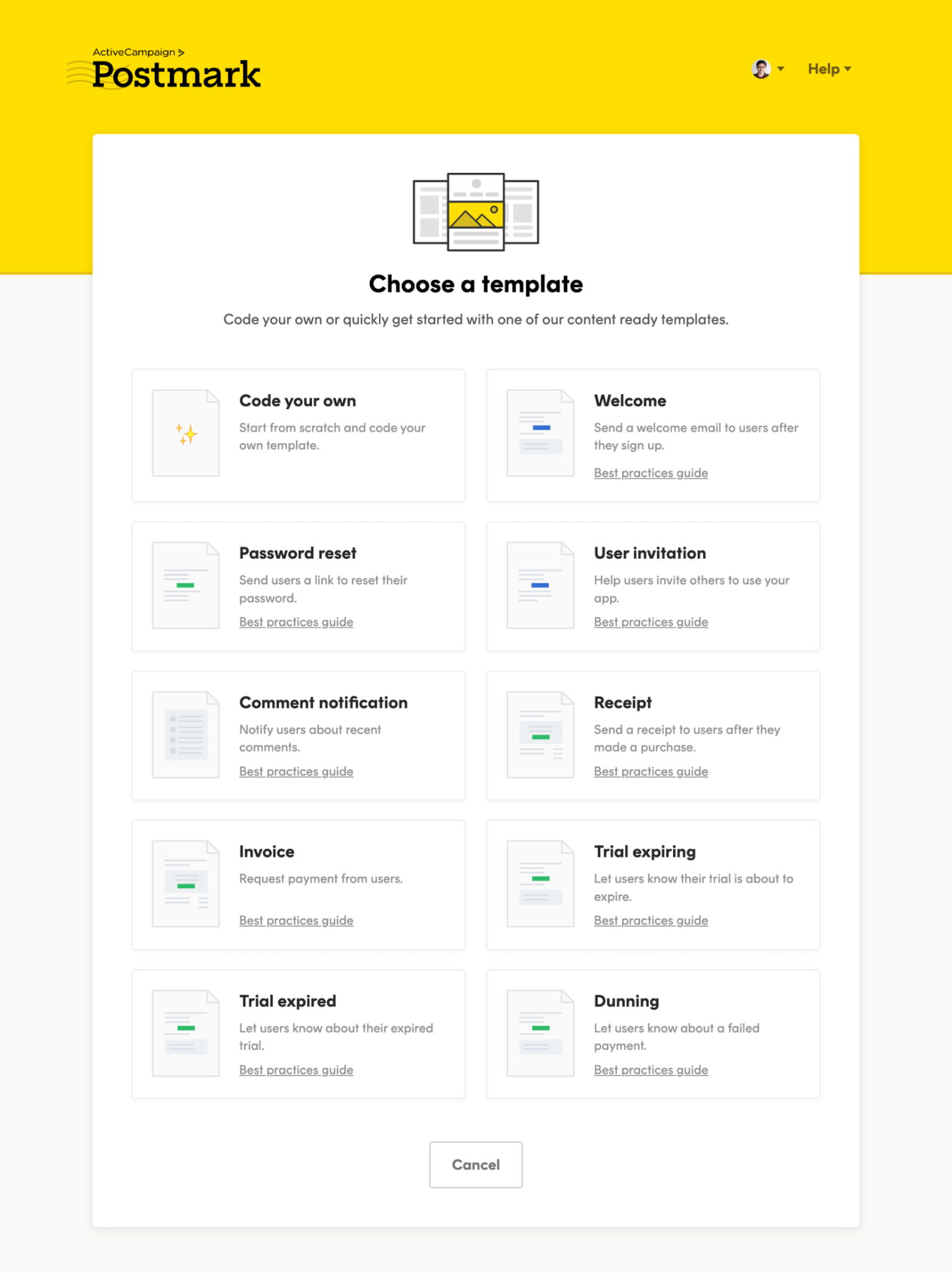
Then create the template itself and give it an alias. Postmark lets you send by numeric TemplateId or TemplateAlias, and you need one of the two. Prefer the alias: it is a name you choose, it reads clearly in your code, and it survives being recreated in a way an auto-assigned ID does not.
Write your placeholders as you go, using Postmark's double-brace syntax, so a subject line becomes something like New inquiry from {{name}}.
One security note while you are in the editor: this build pipes form input into an HTML email. Postmark's templating HTML-encodes interpolated values by default, and it offers a triple-brace form that opts out of that encoding.
Don't reach for triple braces on a field a stranger filled in: Postmark's documentation warns that not escaping content creates a risk wherever the output is rendered in a browser, and a notification email frequently is.
Finish this step with a template you can test-send from inside Postmark.
2. Put the server token in your Webflow Cloud environment
The token is a server-level credential that can send mail on your behalf, so it belongs in the environment, not the repository.
Open the Deployments dashboard for the environment, click Environment Variables, and add the three values the handler needs:
POSTMARK_SERVER_TOKEN=your-server-token
POSTMARK_FROM=notifications@yourdomain.com
POSTMARK_TO=team@yourdomain.com
Mark the token as a Secret to encrypt it and mask it in the dashboard. Webflow Cloud makes environment variables available to your build and the deployed app at runtime, and redacts secret values from build logs, so a properly marked secret doesn't show up in a deploy log.
None of these get a NEXT_PUBLIC_ prefix. That prefix inlines a value into the browser bundle, and a Postmark server token in a public bundle lets anyone send mail from your domain.
Then push a commit, because adding a variable does not retrofit it onto the running deployment. Skip that, and the token is undefined in production, which shows up as a 401 from Postmark rather than anything mentioning configuration.
You finish this step with three variables set, a deployment that can see them, and none of them readable from the page source.
3. Send with the template endpoint
Templates use a different endpoint from plain sends. Instead of /email with a subject and body, you post to /email/withTemplate with a template reference and a model.
Add this alongside any existing send helper rather than replacing it, since the plain /email path is still the right call for messages with no template behind them:
// lib/postmark.ts
type SendTemplateArgs = {
  templateAlias: string
  to: string
  model: Record<string, unknown>
  replyTo?: string
}

export async function sendTemplate({
  templateAlias,
  to,
  model,
  replyTo,
}: SendTemplateArgs) {
  const res = await fetch('https://api.postmarkapp.com/email/withTemplate', {
    method: 'POST',
    headers: {
      Accept: 'application/json',
      'Content-Type': 'application/json',
      // Server-level token, from the API Tokens tab of your Postmark server.
      'X-Postmark-Server-Token': process.env.POSTMARK_SERVER_TOKEN!,
    },
    body: JSON.stringify({
      From: process.env.POSTMARK_FROM!,
      To: to,
      ReplyTo: replyTo,
      TemplateAlias: templateAlias,
      TemplateModel: model,
    }),
  })

  // Only 422 and 503 are documented as carrying a JSON body, so
  // parsing before checking the status turns a 429 or a 500 into an
  // unrelated SyntaxError in your logs.
  if (!res.ok) {
    const detail = await res.text()
    throw new Error(`Postmark HTTP ${res.status}: ${detail.slice(0, 200)}`)
  }

  const body = await res.json()

  // A 200 can still carry a non-zero ErrorCode, so read it rather
  // than trusting the status alone.
  if (body.ErrorCode !== 0) {
    throw new Error(`Postmark ${body.ErrorCode}: ${body.Message}`)
  }

  return body.MessageID as string
}
Two details in there are worth understanding rather than copying. TemplateModel is the object Postmark uses to generate the subject, HTML body and text body, so it is the only place your data enters the email.
And the error check reads ErrorCode rather than trusting the HTTP status, because Postmark answers most input problems with a 422 and a numeric code in the body, and echoes that code in the X-PM-ApiErrorCode response header.
One behavior you get for free: if your template has an HTML body with a style block, Postmark inlines it into the rendered HTML by default, which helps the email survive contact with mail clients. You can opt out with InlineCss: false, though there is rarely a reason to.
Note what is deliberately absent: there is no MessageStream. Omitting it defaults the message to the outbound transactional stream, which is the correct stream for a form notification.
Set it only if you have changed your server's streams, and avoid pointing form notifications at a broadcast stream, since those carry an unsubscribe requirement that makes no sense for an internal alert.
You finish this step with a helper that either returns a message ID or throws something you can read.
4. Route each form to its own template
One handler can serve every form on the site, as long as it knows which template each form maps to and which fields that template expects.
The version below uses a dynamic segment so /api/forms/contact and /api/forms/demo both land here:
// app/api/forms/[form]/route.ts
import { NextResponse, type NextRequest } from 'next/server'
import { sendTemplate } from '@/lib/postmark'

// One place that decides which template a form uses, and which
// fields that template is allowed to see.
const FORMS = {
  contact: {
    templateAlias: 'contact-enquiry',
    fields: ['name', 'email', 'message'] as const,
  },
  demo: {
    templateAlias: 'demo-request',
    fields: ['name', 'email', 'company', 'team_size'] as const,
  },
} as const

export async function POST(
  request: NextRequest,
  { params }: { params: Promise<{ form: string }> },
) {
  const { form } = await params
  const config = FORMS[form as keyof typeof FORMS]

  if (!config) {
    return NextResponse.json({ error: 'Unknown form' }, { status: 404 })
  }

  const submitted = (await request.json()) as Record<string, string>

  // Build the model from the allow-list, and FAIL on a field the
  // form did not send. Defaulting a missing field to '' is what turns
  // a renamed Designer field into an email with a silent gap in it.
  const model: Record<string, string> = {}
  const missing: string[] = []

  for (const field of config.fields) {
    const value = submitted[field]
    if (typeof value !== 'string' || value.trim() === '') {
      missing.push(field)
      continue
    }
    model[field] = value.trim()
  }

  if (missing.length > 0) {
    // Loud in your logs, not blank in somebody's inbox.
    console.error('Form/template mismatch', { form, missing })
    return NextResponse.json(
      { error: 'Missing fields', missing },
      { status: 422 },
    )
  }

  if (!/^[^@\s]+@[^@\s]+\.[^@\s]+$/.test(model.email)) {
    // ReplyTo is the only address a submitter controls, and an
    // invalid one fails the whole send with ErrorCode 300.
    return NextResponse.json({ error: 'Invalid email' }, { status: 422 })
  }

  try {
    const messageId = await sendTemplate({
      templateAlias: config.templateAlias,
      to: process.env.POSTMARK_TO!,
      replyTo: model.email,
      model,
    })

    return NextResponse.json({ ok: true, messageId })
  } catch (error) {
    console.error('Postmark send failed', error)
    return NextResponse.json({ error: 'Could not send' }, { status: 502 })
  }
}
The allow-list plus the missing-field check prevents a whole category of silent bugs, and it only works because of that check. Postmark's templating is deliberately permissive: it skips anything referencing a value that is null, false or empty, so a placeholder with no matching model key renders as nothing and the send still returns a success.
Rename a field in the Designer, and the email arrives with a gap that nobody notices until a colleague mentions it.
Note what would happen with the obvious shorter version. Writing model[field] = (submitted[field] ?? '').trim() looks like it does the same job, but it converts the missing field into an empty string and hands it to Postmark, which is exactly the outcome the allow-list was supposed to prevent.
Failing on absence is what turns an invisible email defect into a 422 in your own logs. Note that params is awaited. On Next.js 15, which Webflow Cloud runs, dynamic route parameters arrive as a promise.
You finish this step with one endpoint that serves every form and one object describing what each form sends.
5. Wire the Webflow form to the handler
Webflow's native form action posts to Webflow. To reach your Route Handler instead, intercept the submit and post the fields yourself.
First, give the form the attribute the script selects on. On the form element itself in the Designer, add data-pm-form="contact", using the same slug as the key in your FORMS map, since that attribute is what tells the script which endpoint to post to.
Then add this in a Code Embed, placed after the form on the page so the element exists when the script runs:
<!-- A Code Embed on the page holding your Webflow form -->
<script>
  document.querySelectorAll('[data-pm-form]').forEach(function (form) {
    form.addEventListener('submit', async function (event) {
      event.preventDefault()

      var slug = form.dataset.pmForm
      var payload = Object.fromEntries(new FormData(form).entries())

      // The mount path matters: a Webflow Cloud app is served under
      // it, and a bare /api/... hits the parent Webflow site instead.
      var button = form.querySelector('[type="submit"]')
      if (button) button.disabled = true

      try {
        var res = await fetch('/app/api/forms/' + slug, {
          method: 'POST',
          headers: { 'Content-Type': 'application/json' },
          body: JSON.stringify(payload),
        })

        form.setAttribute('data-pm-state', res.ok ? 'sent' : 'error')
      } catch (err) {
        // A rejected fetch writes neither state, so the visitor sees
        // nothing at all unless you catch it.
        form.setAttribute('data-pm-state', 'error')
      } finally {
        if (button) button.disabled = false
      }
    })
  })
</script>
The mount path is what catches people. A Webflow Cloud app is served under the mount path you chose for the environment, so a client-side call to /api/forms/contact reaches your parent Webflow site and returns its 404 page rather than your handler.
Client-side fetches must carry that prefix; server route definitions do not, because Next.js applies it for them.
Because the form submits through your handler, keep whatever spam control you already rely on. Webflow's own form protection sits on Webflow's endpoint, not yours.
You finish this step with a form that produces a templated email and a state attribute you can use to style a success message.
What causes Postmark template sends to fail from Webflow?
Template sends fail differently from plain sends: the request is usually well-formed, so what you get back is a numeric code about the template rather than a transport error.
These four cover almost everything, and the second produces no error at all.
Every send comes back with ErrorCode 1101
Cause: Postmark documents 1101 as the request specifying neither TemplateId nor TemplateAlias or the referenced template, alias or layout not being found. In practice, on a build like this, it is almost always an alias mismatch: the string in your FORMS map does not match the alias saved on the template.
Fix: Compare the two characters for characters, and check which Postmark server you are looking at. Templates belong to a server, and a token from a different server on the same account will not find them, which produces the same 1101 and sends people hunting for a typo that is not there.
The code also covers a missing layout, so a template referencing a layout alias that has been renamed fails this way even when the template's own alias is correct.
The email arrives with gaps where the data should be
Cause: The keys in your TemplateModel do not match the placeholders in the template. This is the failure worth designing against, because nothing reports it: the request is valid, Postmark returns a message ID, your handler logs a success, and the only symptom is an email with a space where a name should be.
Fix: Read the template placeholders and your field list side by side, remembering the mapping must hold across three places: the Webflow form field name, the key you put in the model, and the placeholder in the template.
The allow-list in step 4 is the structural fix, since it puts the field names in one reviewable place instead of leaving them implicit in whatever the form happened to submit. Send a test from Postmark's own editor with a sample model to confirm the template renders before blaming the handler.
ErrorCode 300 on a submission that looks complete
Cause: Postmark's 300 is a send validation error covering a range of problems: zero recipients, an invalid address, a missing text or HTML body and various recipient, metadata, attachment and header limits. From a form handler, the usual culprits are an empty To because an environment variable did not resolve, or a malformed address that came in through the form.
Fix: Read the Message field alongside the code, since one error code covers several messages and the text is what tells you which. Confirm POSTMARK_FROM and POSTMARK_TO are actually set in the environment you deployed to rather than only in .env.local, which is local-only.
Then look at ReplyTo, because on this build it is the only address a submitter controls and therefore the only one that can be malformed. The handler above validates it before sending for that reason: an unvalidated Reply-To address does not fail quietly; it fails the entire notification.
A new template cannot be created, or ErrorCode 1105 appears
Cause: You've reached the server's template limit. Postmark allows up to 100 templates per server and documents 1105 as a request that would exceed the active-template limit. This tends to surface on accounts that generate a template per campaign or per client rather than per message type.
Fix: Consolidate. Most template proliferation is a model problem, not a content problem: three templates that differ only in a heading are one template with a heading in the model. Move the varying text into TemplateModel and delete the duplicates.
If you genuinely need more than 100, Postmark's documentation says to contact support, and separating concerns across servers is worth considering anyway since templates and tokens are both server-scoped.
What to build next with Webflow forms and Postmark
If you are starting from nothing rather than migrating, our guide to transactional email on Webflow Cloud covers sender verification and the plain send path this one builds on, and the SendGrid guide covers the same job with a different provider, including server-side validation and spam handling worth stealing either way.
For the connection details, see the Webflow and Postmark integration.
Frequently asked questions
Should I send by TemplateAlias or TemplateId?
Either works, and you need one. Prefer the alias: it is a name you choose, it reads clearly in code, and it survives a template being recreated. Postmark assigns a numeric ID, which tells you nothing at the call site.
Can one handler serve every form on the site?
Yes, and it is the tidier arrangement. Use a dynamic route segment for the form name and keep a map from form to template alias plus the fields that template expects, so adding a form is a config change rather than a new endpoint.
Why does my email send successfully but render blank fields?
Your model keys don't match the template's placeholders. Nothing errors, because the request is valid, so the only symptom is the gap in the email. Check that the field name, the model key and the placeholder all agree.
Do I still need Webflow's spam protection?
Webflow's form protection applies to Webflow's own endpoint, and this build posts to yours instead. Add your own server-side checks in the Route Handler rather than assuming the platform is still covering you.
How many templates can I have?
Postmark allows up to 100 per server, and it won't process requests that exceed that limit. If you are approaching that limit, the usual fix is to move varying copy into the template model rather than creating near-duplicate templates.


















