


Explore tools to help you find the perfect typefaces, and learn best practices for putting them to good use.
Typefaces may seem humble next to flashier website elements like interactions and animations. However, the right font combinations do a lot of heavy lifting: They guide visitor attention, establish hierarchy, strengthen readability, and reinforce brand identity. And all of that impacts conversions and other key site analytics.
In this guide, we’ll talk about how to choose the best typefaces for each design project, then look at six font pairing tools that can help.
Best practices for effective font pairing
Web designers rely on these core principles to create appealing and responsive typography that makes an impression while maintaining strong readability.
Keep font selection minimal
Stacking multiple typefaces on a single page creates visual clutter that can distract readers and disrupt the core message. Using too many fonts also dilutes the website’s identity, while a streamlined palette builds consistency that encourages brand recognition. Plus, fewer fonts means fewer files for browsers to load, which translates to faster page performance.
So instead of reaching for a new font family every time you need letterform variation, adjust size, spacing, and/or weight instead to create contrast. For example, a bold sans serif display font paired with lighter body text in the same typeface creates clear structure, but keeps the overall design harmonious.
Pair styles from the same font family
To find the best font combinations for your latest web design, one viable shortcut is to choose typefaces from the same family. You might use Montserrat Bold for headers and Montserrat Regular for body text, or choose multiple fonts within the same high-level family, such as Merriweather and Merriweather Sans. These typefaces are already designed to work well together, which offers built-in consistency.
Choose fonts with clear contrast
Contrast is the difference between typefaces, whether they diverge in weight, width, letterforms, style, or size. When fonts are too similar, the subtle mismatch often creates visual tension that harms readability and muddles hierarchy.
Aim for strong contrast to make font pairings accessible and scannable. For example, combining a thick serif font with a clean sans serif creates visual separation, as does marrying an ornate typeface with a simple body font.
Apply scale and balance carefully
Scale refers to the size relationship between elements, and balance is about distributing visual weight among elements so the page looks cohesive. Together, these techniques direct the reader's eye, signaling what to engage with first and creating a hierarchy that helps them move around the site.
When using typography in web design, two fonts can easily clash at the same point size. But if you adjust scaling for specific use cases (e.g., 36-pixel Playfair Display for a header with 16-pixel Montserrat for body copy), those same typefaces might pair beautifully.
6 best font pairing tools for web designers
The right font pairing tools take much of the guesswork out of finding combinations that click, saving you hours of trial and error across client projects. Here are six great options.
- Fontswipe
- Typ.io
- Google Fonts
- Fontpair
- Monotype
- Fontjoy
1. Fontswipe

Fontswipe is inspired by dating app interfaces and uses a swipe-based approach to font selection. This tool offers a curated list of pairings, and you can swipe right to save the ones you like and left to discard the options that don't fit.
Fontswipe helps you identify useful fonts quickly, so it’s handy for design agencies that want fast inspiration without having to manually test endless combinations. Just keep in mind that the pairings are random and only organized into a few high-level categories, so this isn’t the best option for finding fonts that match a specific niche or vision.
2. Typ.io

Source: Typ.io
Typ.io recommends font combinations by analyzing typefaces used on well-designed sites. You can browse through lists for ideas, or search for a specific font and see examples of how it pairs with other typefaces in real-world contexts. Descriptive tags highlight each font’s style and personality, making it even easier to find good matches.
This tool is useful for designers who want to learn from what works and discover practical pairings for client projects. On the other hand, since Typ.io only shows font pairings in use on existing websites, it won’t help you experiment with combinations directly and you’ll see the same typefaces repeated often.
3. Google Fonts
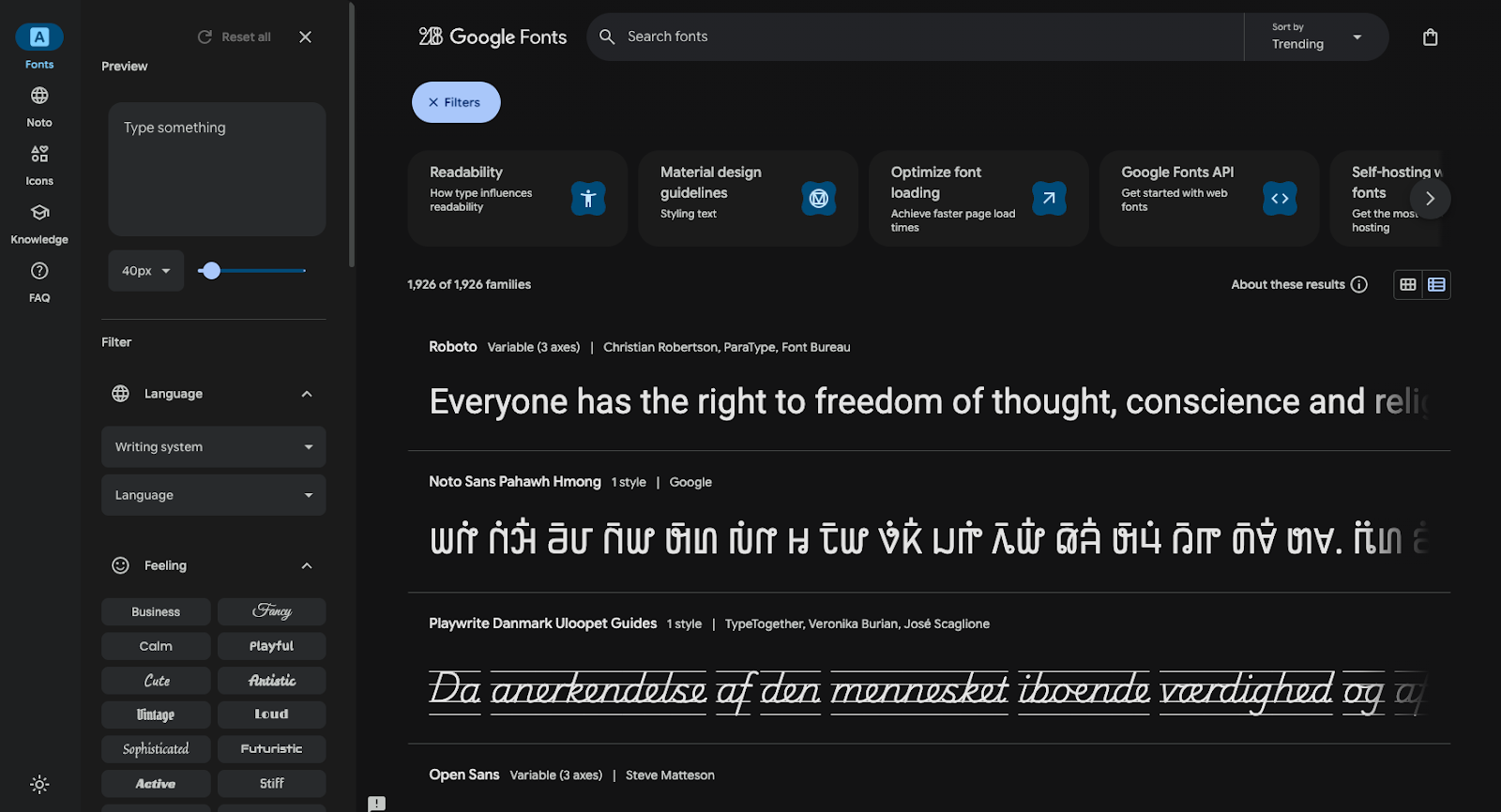
Google Fonts offers a huge library of open-source fonts that are web-safe and optimized for fast loading. You can preview combinations directly in the browser, test custom text, assess readability, and grab embed codes for fonts you like.
This is a top tool for beginners looking for versatile and approachable typefaces, since it’s user-friendly and focuses on widely available fonts. But Google Fonts isn’t the best place to find unique options, and it doesn't offer much assistance in finding ideal pairings.

Ultimate web design
From 101 to advanced, learn how to build sites in Webflow with over 100 lessons — including the basics of HTML and CSS.
4. Fontpair

Fontpair offers a curated collection of combinations to streamline the font pairing process. The large library of suggestions is organized into serif and sans serif categories so you can quickly narrow in on the right aesthetic.
As you explore font pairings, you'll find simple visual examples that give you an immediate preview of each combination's style. Fontpair's straightforward, user-friendly design makes it a favorite for busy agencies that want to experiment with tried-and-true typefaces. Just note that this directory pulls straight from the Google Fonts collection, so it focuses on more conventional and modern typefaces.
5. Monotype
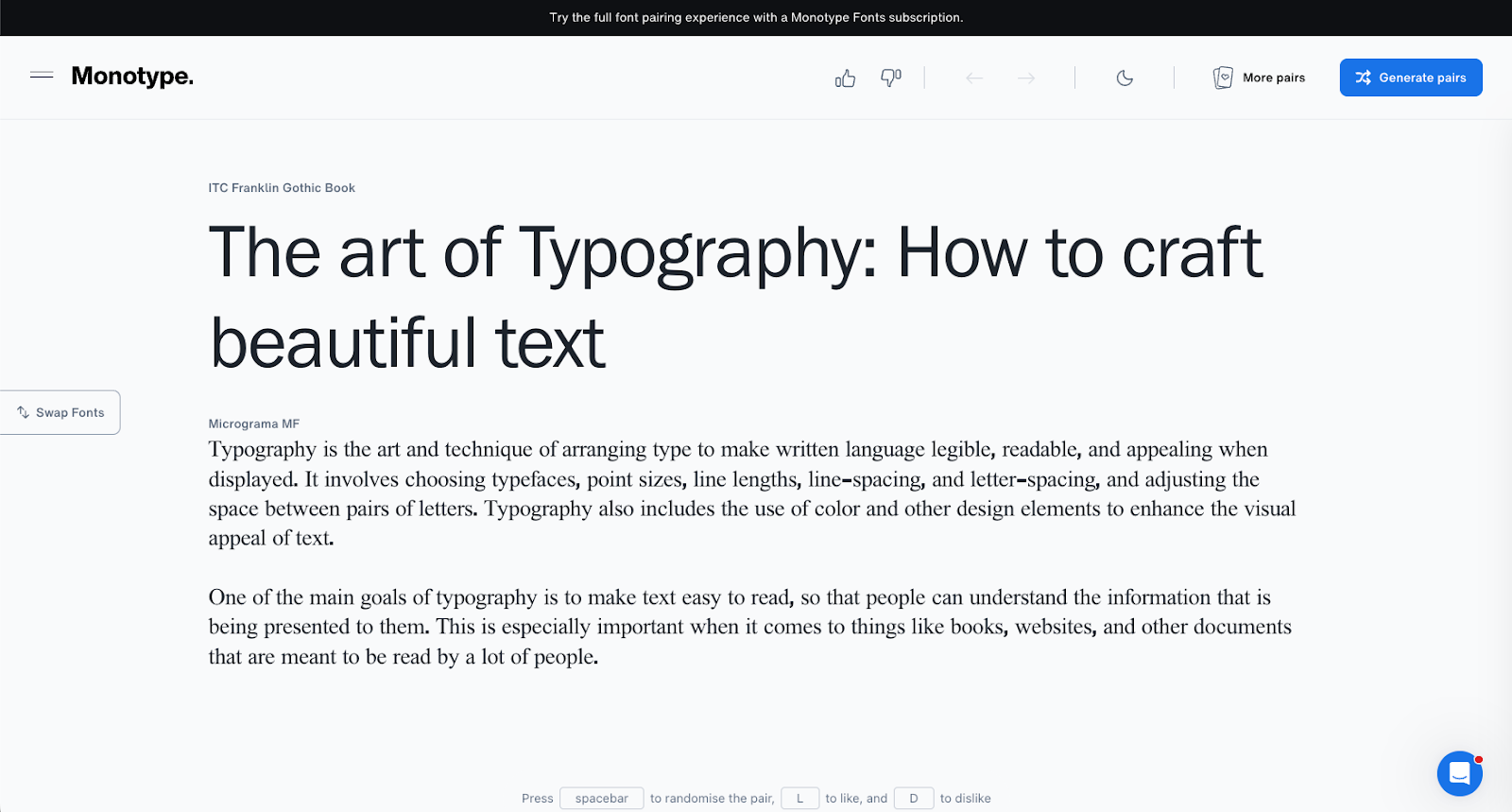
Monotype's font playground is a hands-on pairing tool meant for designers who want to experiment with headings and body text simultaneously. You can lock in one font and then browse for compatible typefaces.
Alternatively, you can generate new combinations from scratch, adjust sizes and weights, and see the results in real time. When you find typefaces you like, you can select "Get this font" to go straight to the relevant library. The free version of this tool is limited, however, and you'll need a paid subscription to access features like commercial licensing and shared font libraries.
6. Fontjoy

Fontjoy is an AI-powered platform that generates font combinations in seconds. If you see a typeface you like, you can select it and have the AI suggest complementary pairings. You can also adjust desired similarity with a slider and preview multiple levels of text hierarchy at once.
For anyone who wants to rapidly explore lots of font options, Fontjoy is a handy resource. It's also useful when you need to look outside the box for creative and unconventional combinations. At the same time, Fontjoy doesn't offer curated suggestions or help you learn from real-world examples and successful designers.
How AI transforms the font pairing process
AI-based font pairing tools use machine learning to evaluate thousands of combinations based on visual characteristics like x-height, stroke weight, and aperture. These platforms aim to suggest pairs that achieve a balance of contrast and harmony, and they can do that very quickly.
However, AI isn't a replacement for design expertise, and using it isn't frictionless. Here are the main advantages and disadvantages of AI font pairing tools.
Pros:
- Quick ideas. AI generates multiple pairing options almost instantly, cutting down time spent on initial exploration.
- Inspiration for non-designers. Those without deep typography backgrounds can find a lot of ideas to get them started.
- Efficient testing. Many AI tools let you lock in one font and rapidly cycle through complementary matches, streamlining the decision-making process.
Cons:
- Lacks branding knowledge. AI can suggest pairings, but it can't fully account for the emotional tone a specific project or brand demands.
- Still requires designer judgment. While AI offers suggestions, it can't predict how well those font pairings will work when combined with other website elements, viewed at various sizes, and modified using different weights and styles.
Show off your perfectly matched fonts with Webflow
The art of font pairing is about finding the sweet spot where brand identity, readability, and visual hierarchy all meet. By leaning on foundational design principles and modern font pairing tools, you can eliminate the guesswork and build sites that not only look impressive but also perform flawlessly.
You can turn your typographic vision into reality with Webflow. With the Figma to Webflow plugin, for example, you can move your font combinations directly into a production-ready environment, then maintain total creative control through reusable components and custom variables. And when you need a quick spark of inspiration, Webflow's Free Font Generator helps you discover and implement high-quality duos.
Integrate your font pairings into polished, client-ready websites with Webflow.
Get started for free
Create custom, scalable websites — without writing code. Start building in Webflow.