










Will chat and text really be the future of managing your Webflow projects?
The Claude connector and the underlying Model Context Protocol (MCP) let you use AI tools to interact with your Webflow sites and projects. But many find themselves asking that same question.
I connected Claude to one of my Webflow sites and did some "real work" without touching a single Webflow control.
Getting a full site overview in seconds
Regardless of whether you're dealing with a Webflow project that's been handed to you or your own site has grown in complexity, sometimes it's hard to know what pages are online and if everything is configured correctly. Normally you'd click through the page and CMS settings, open collections one by one, and piece the picture together yourself.
With Claude, a single prompt can return the full picture.
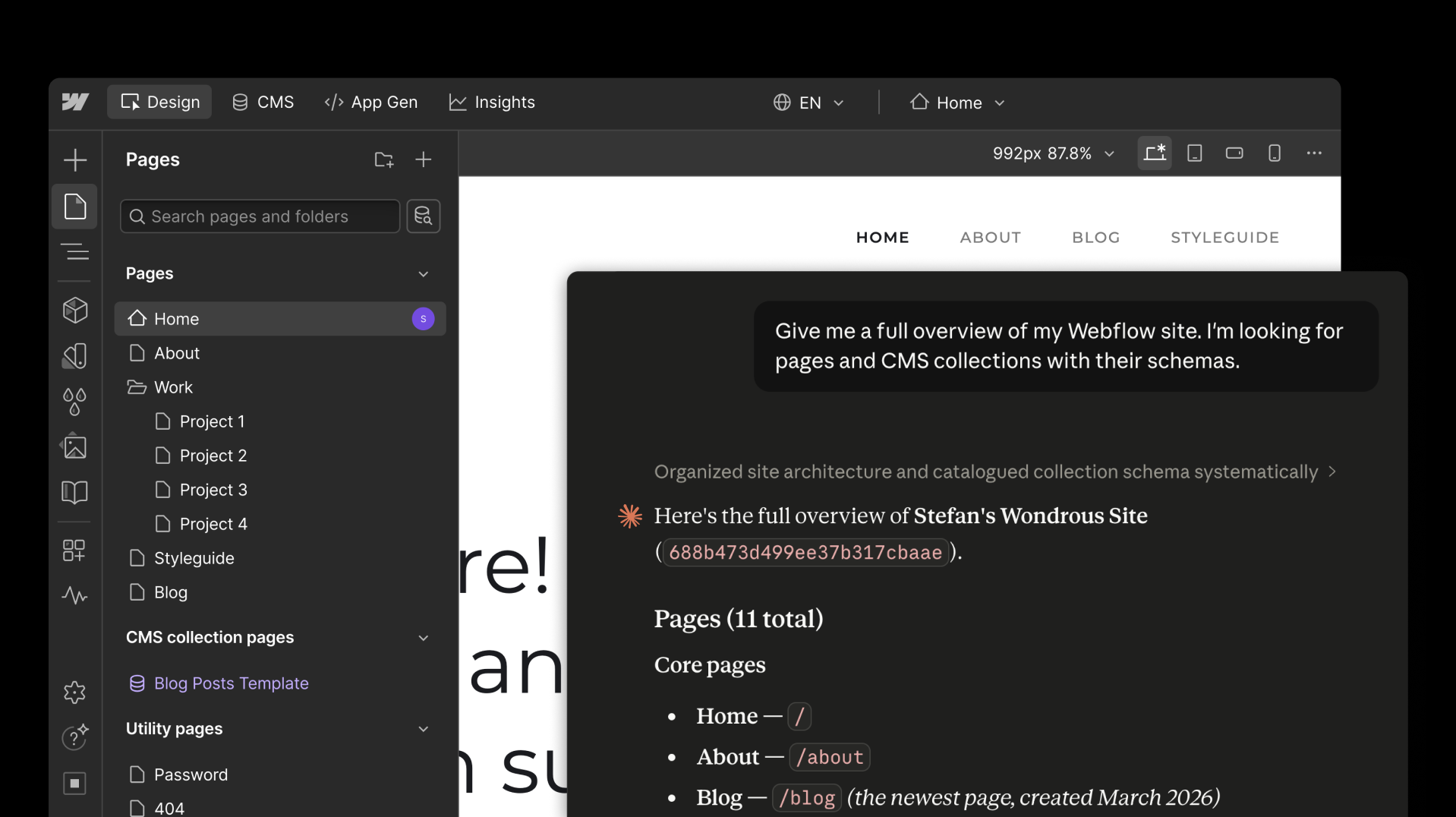
Give me a full overview of my Webflow site — pages, CMS collections with their schemas.
You can quickly access all pages (even the ones you might have forgotten about) and all the CMS collections and entries. There's no need to click around; Claude can do this job for you!
That overview is useful on its own, but the real wins come from acting on the data.
Auditing and fixing SEO metadata
Let's consider a reasonably big Webflow site. Checking SEO metadata across all the pages is one of those tasks everyone considers important but nobody enjoys doing. You'd have to open every page's settings, check the title tag, meta description, and Open Graph data one by one. For a site with a few pages, that's tedious but manageable. If it's hundreds of pages, it's time for automation.
Thanks to the connector, Claude can fetch all the metadata for you and provide a readable and structured summary. If you don't know if all your pages' SEO meta is as good as it could be, a single prompt will tell you.
Please check the SEO meta information for all my pages.
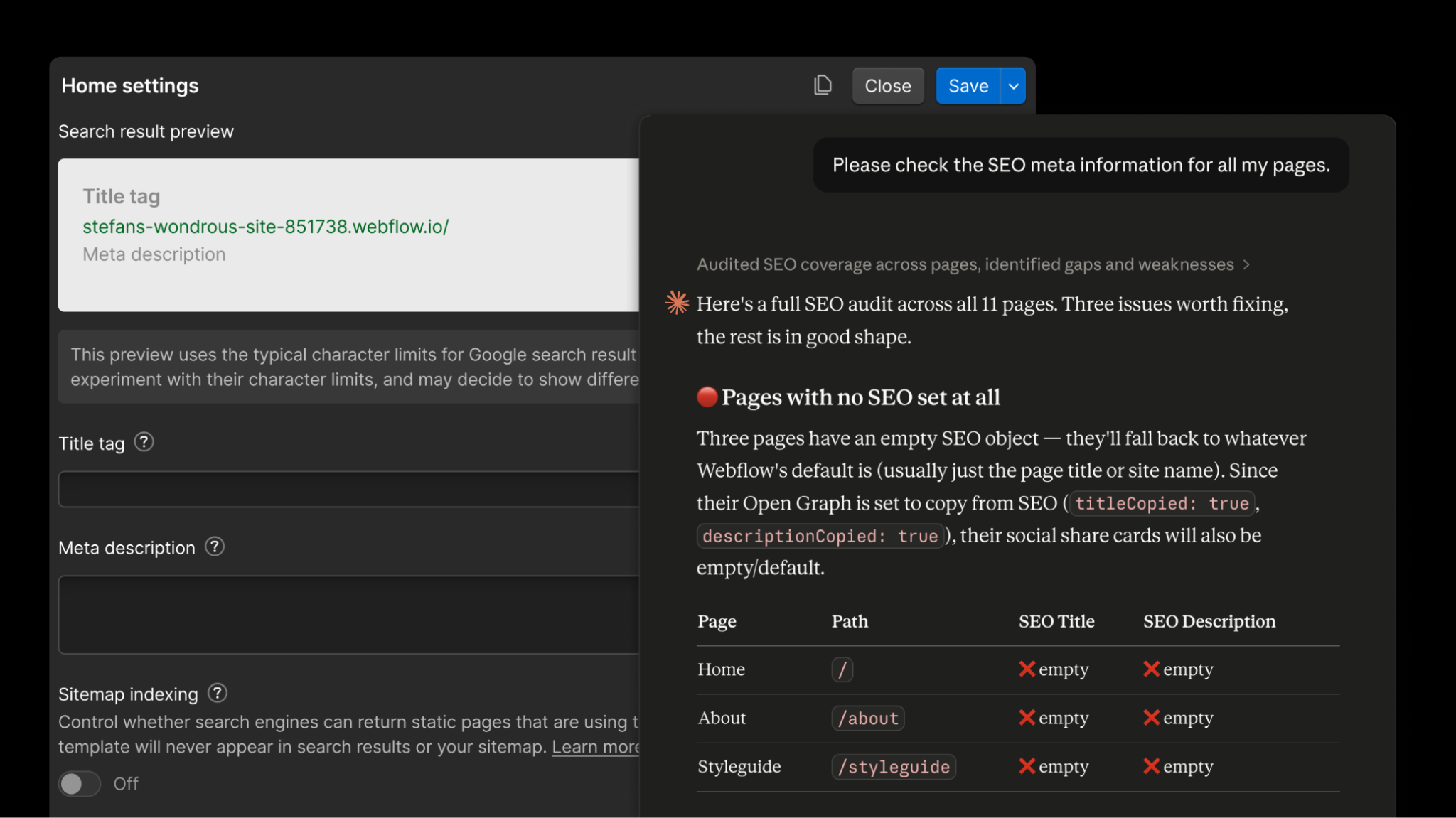
Claude can quickly evaluate all your titles and meta descriptions. It can fix them, too.
Please draft and update proper SEO titles for the pages that are missing them!
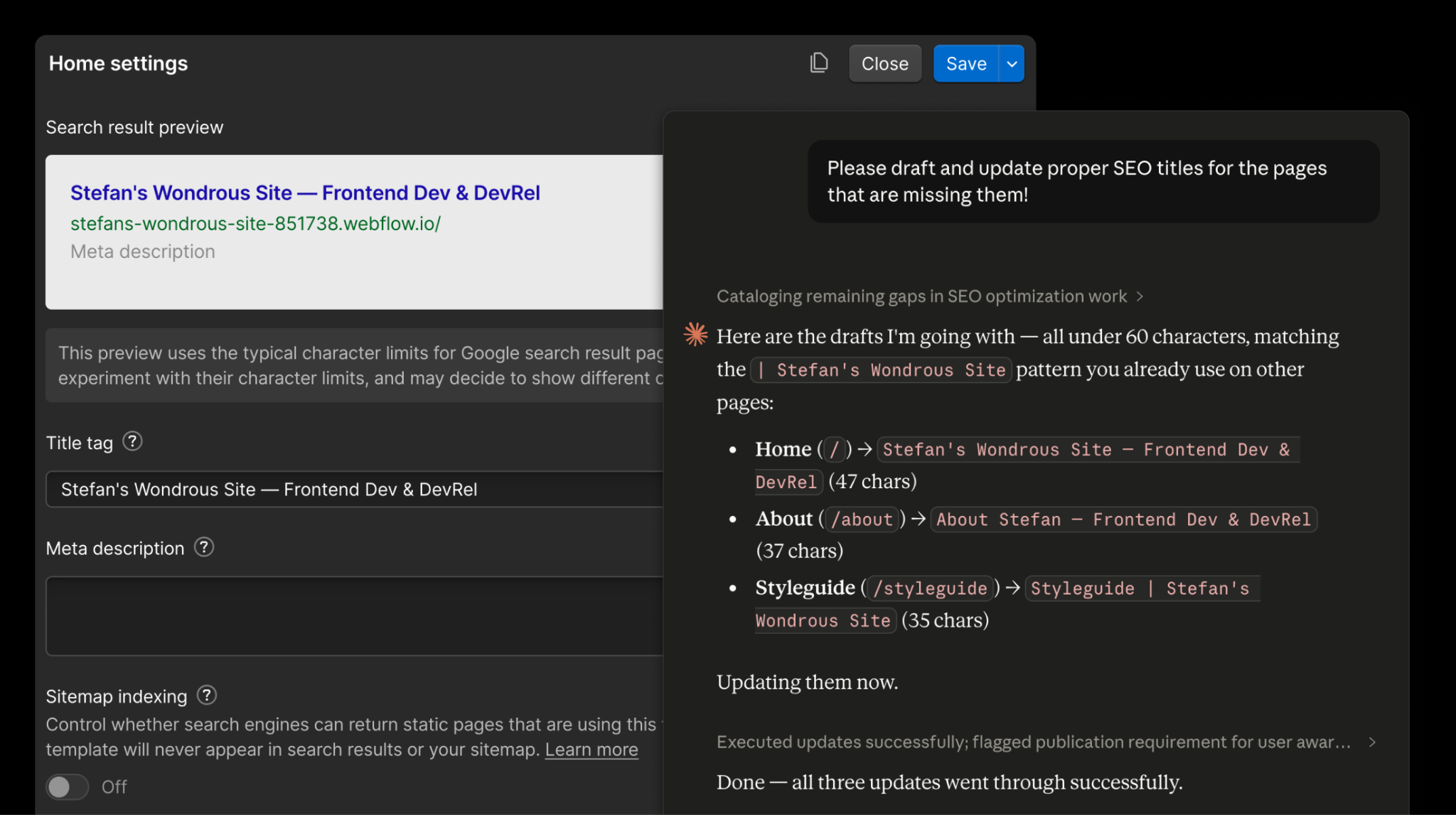
You can get a complete page SEO overview and fix issues all in one go in a matter of minutes. You'll never update your Webflow site faster.
Updating SEO information is one thing. Detailed CMS configuration and bulk updates are another.
Adding a CMS field and backfilling missing data
Content modeling is one of the most crucial tasks when it comes to setting up your Webflow CMS. Requirements change over time, or they weren't clear from the start. Backfilling missing data can easily take hours.
Picture a new field to display the estimated reading time of blog posts. To add this, you'd go into the Webflow CMS configuration and add a new field. Adding the field is the easy part. Backfilling every existing post isn't.
Both tasks can be handed over to AI. And Claude, again, can even do them in a single prompt.
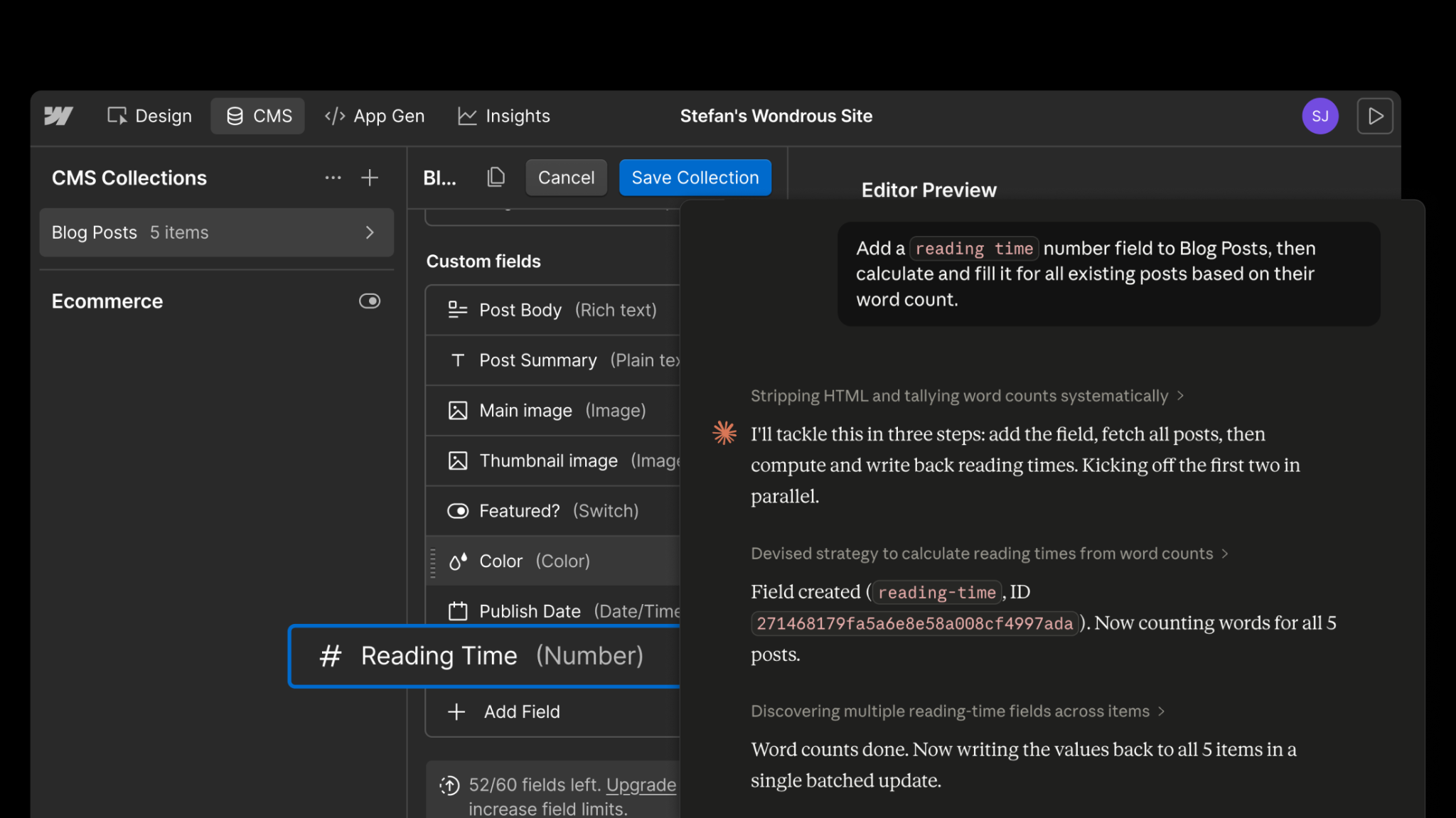
Add a "reading time" number field to Blog Posts, then calculate and backfill it for all existing posts based on their word count.
Claude will then quickly create the new field…
… and backfill the existing blog posts.
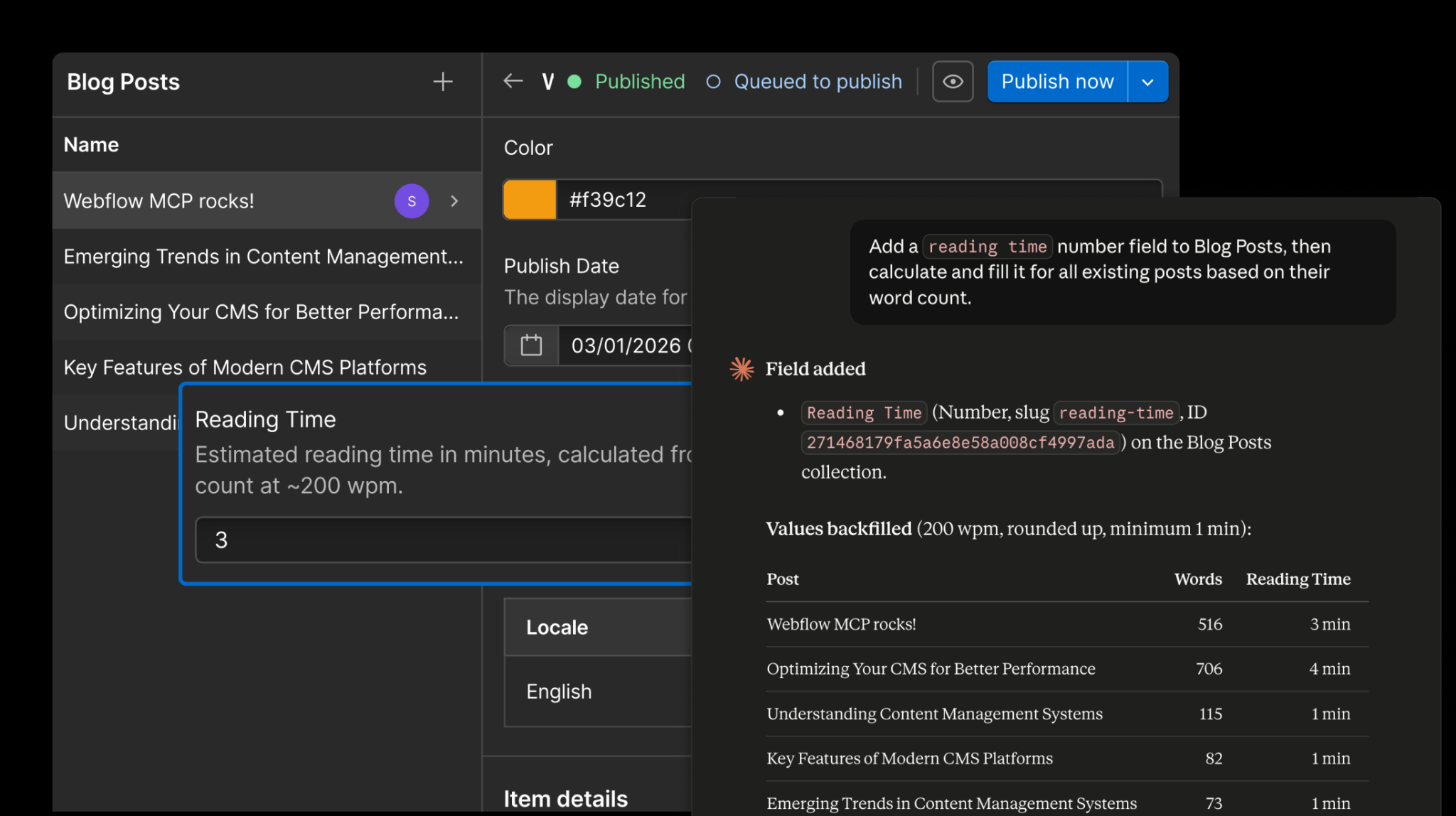
If this isn't a massive time saver, I don't know what is! You can then go ahead and add the new data wherever it needs to be displayed.
But there's more. AI and Claude aren't limited to data and CMS operations.
Restyling elements and applying existing styles
Design consistency tends to drift as a site grows. You define a clean set of styles early on, but over time, new elements sneak in with defaults, or links that should look like buttons end up as plain text. Once you spot the inconsistency, fixing it across the site means hunting down each element and reassigning the class by hand.
For example, a blog overview page might use the wrong style for a "Read article" link, and you want to style it like the primary button used everywhere. Instead of finding and re-classing every link manually, just say it out loud:
Make the read article links use the primary button style.

One prompt, and the elements are restyled. The same approach works whenever you need to apply an existing style across multiple elements. It's a small thing, but small things like this add up fast, and suddenly you have a completely new workflow.
Building a newsletter section from scratch
You're not limited to existing components and styles, either.
Blog posts or site sections that end abruptly without a next step are often a missed opportunity. If you want to add new components, Claude can handle that, too.
Add a newsletter signup section at the end of the blog post pages — heading, short description, email field, and a submit button. Match the existing site styles.
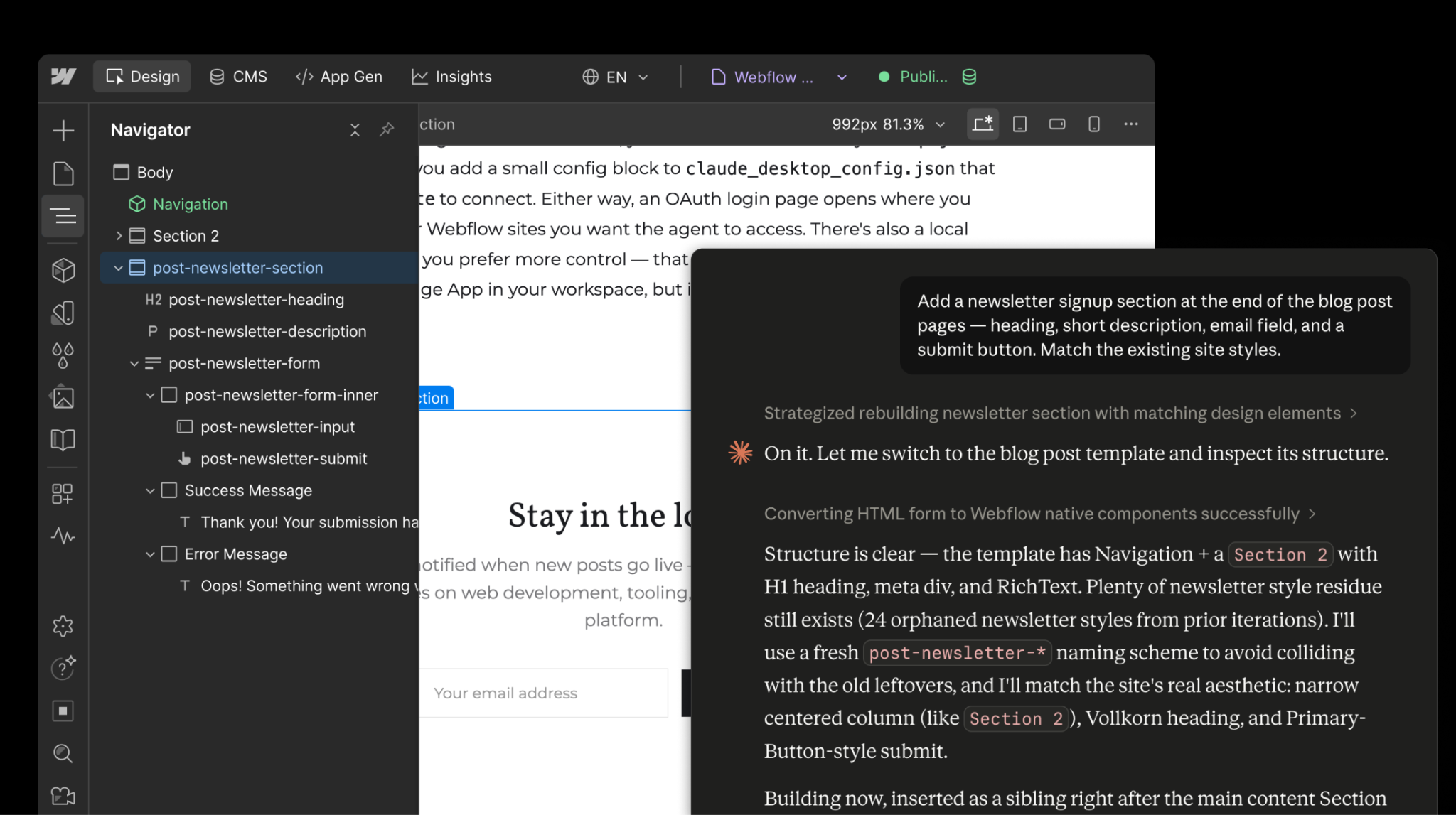
Claude can quickly create proper and accessible Webflow form components: an email input, a submit button, and even success and error states. And everything comes out as real, editable Webflow elements you can continue tweaking in the Designer.
Try it out whenever you have a quick idea in mind and don't have the time to build it yourself!
Conclusion
To answer my own question: will chat and text really be the future of managing Webflow projects? I'd say: for the right tasks, absolutely. AI won't replace the Designer, but for work that's tedious, repetitive, or requires touching every page, handing the work to Claude is genuinely faster.
Some of the tasks I showed you would take minutes; others would take hours. With Claude, all of them happen in seconds. And the best part is that the connector and Webflow MCP is still early — we're actively building and improving the tools your AI agents can use. Watch this space and subscribe to our developer newsletter.
And the next time you catch yourself clicking through page settings one by one, give the Claude connector a try. You might be surprised how much you can get done without ever opening Webflow.


















